Free WhatsApp Chat Editor
Use the WhatsApp chat editor when you need precise control over a conversation mockup: message text, sender names, timestamps, ticks, voice notes, group participants, and export format. It doubles as a WhatsApp chat creator when you want to start from a blank thread.
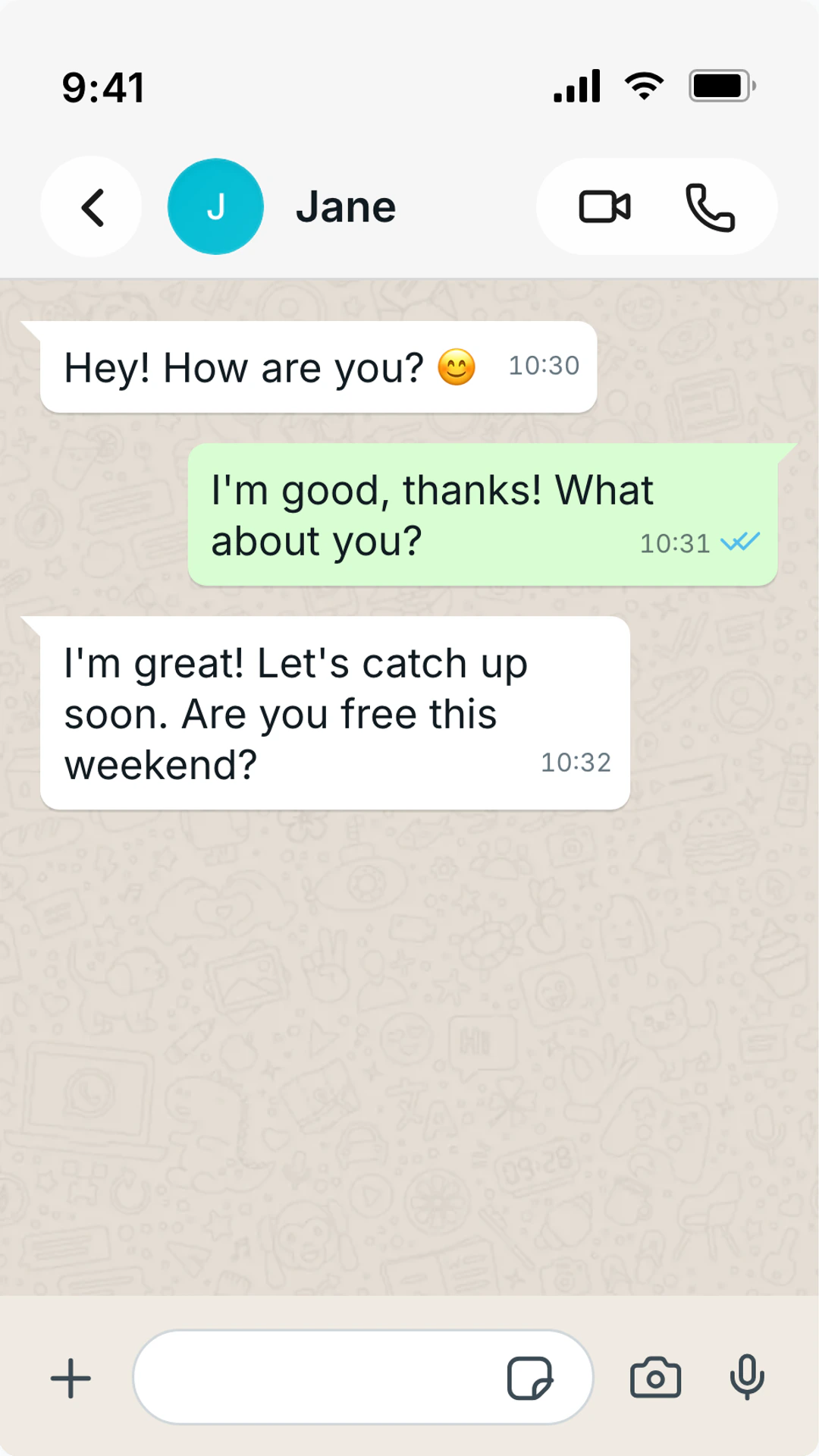
What the editor controls
Use this page when the job is editing the conversation itself, not choosing a final export format.
Editable content
messages
Change message text, sender side, order, timestamps, and the conversation rhythm from one editor.
Identity fields
names + avatars
Adjust contact names, profile photos, group labels, and participant identity details for believable scenes.
WhatsApp states
ticks + status
Set sent, delivered, read, online, and last-seen details so the UI matches the story timeline.
Export path
PNG or video
Use the same edited thread for a static WhatsApp screenshot or a timed animated chat video.
Why People Pick This Tool
A fast path from idea to believable output with minimal setup.
- Edit WhatsApp message text, sender side, and order
- Customize profile names, avatars, group labels, and timestamps
- Set sent, delivered, and read states with grey or blue ticks
- Add voice note bubbles and mixed text/audio scenes
- Preview light and dark WhatsApp-style layouts
- Export a screenshot or build a timed chat video
Precise Conversation Editing
Tune wording, order, timestamps, sender identity, and read states before deciding whether the final output should be still or animated.
Built for Drafting
Start from a blank thread, revise the script, and keep visual details aligned while the conversation changes.
Format-Agnostic Output
Use one finished WhatsApp draft for screenshots, video reveals, social proof blocks, or storyboard frames.
Fast-Execution Use Cases
Ideal when you need a quick result without sacrificing visual quality.
Fix a draft conversation
Adjust wording, timing, and visual details until the screenshot looks natural enough to publish.
Create support mockups
Build delivery updates, support replies, and customer proof without exposing real private chats.
Prepare ad concepts
Show a conversational product moment before a campaign, creator brief, or client deck goes live.
Prototype chat scenes
Test alternate scripts and export the version that reads fastest on a phone screen.
Edit for believability first
A WhatsApp mockup usually fails because of small mismatches: timestamps that do not make sense, blue ticks in the wrong moment, or messages that all sound like the same person wrote them.
Edit the conversation in passes. First fix the script. Then fix sender details. Then check visual rhythm, timestamps, and read states. Trying to polish everything at once makes mistakes easier to miss.
If the chat is for public content, anonymize names and avoid real private information. A good mockup communicates the idea without exposing a real conversation.
Editing checklist
- Each participant has a distinct tone and message length.
- Timestamps, delivered states, and blue ticks follow a believable timeline.
- The screenshot still reads clearly at mobile size.
- Private or sensitive details are fictionalized before export.
Available Styles
Quick-Start FAQ
Answers for first-time users who need immediate output.
What can I edit in the WhatsApp chat editor?
You can edit message text, sender side, names, avatars, timestamps, blue ticks, group participants, voice note bubbles, theme, and export format.
Is this for editing real WhatsApp chats?
No. It creates mockups for content, ads, storyboards, and examples. Do not use fake chats to impersonate people, defraud someone, or misrepresent real evidence.
Can I use it as a WhatsApp message maker?
Yes. Start from a blank thread, add messages one by one, then export the final WhatsApp-style screenshot or video. The same editor can work as a WhatsApp message creator, message generator, or conversation generator.
Can I make group chats in the editor?
Yes. Add participants, set display names, and vary message length so the group thread is readable and believable.
Fast export workflow
Create Your First Scene
Open the editor, type your script, and export right away.
- No signup for screenshots
- Runs in your browser
- 41+ platforms
Other Quick-Start Pages
Fake Text Message Generator
Make fake text messages that look real with iPhone text, Android SMS, iMessage, WhatsApp, dark mode, and black-background styles.
Online Fake Chat Generator — No Download Needed
TheFake runs in Chrome, Safari, Firefox, and Edge.
Free Fake Chat Generator
Use a free fake chat generator with no sign up and no watermark on screenshots.
Fake Chat Generator — No Watermark
Most fake chat tools stamp a logo on your export.