Free Fake Chat Generator
Open a browser-based fake chat maker, type the conversation, pick a familiar app style, and export a clean PNG screenshot without signup. Use video exports when the reveal needs motion.
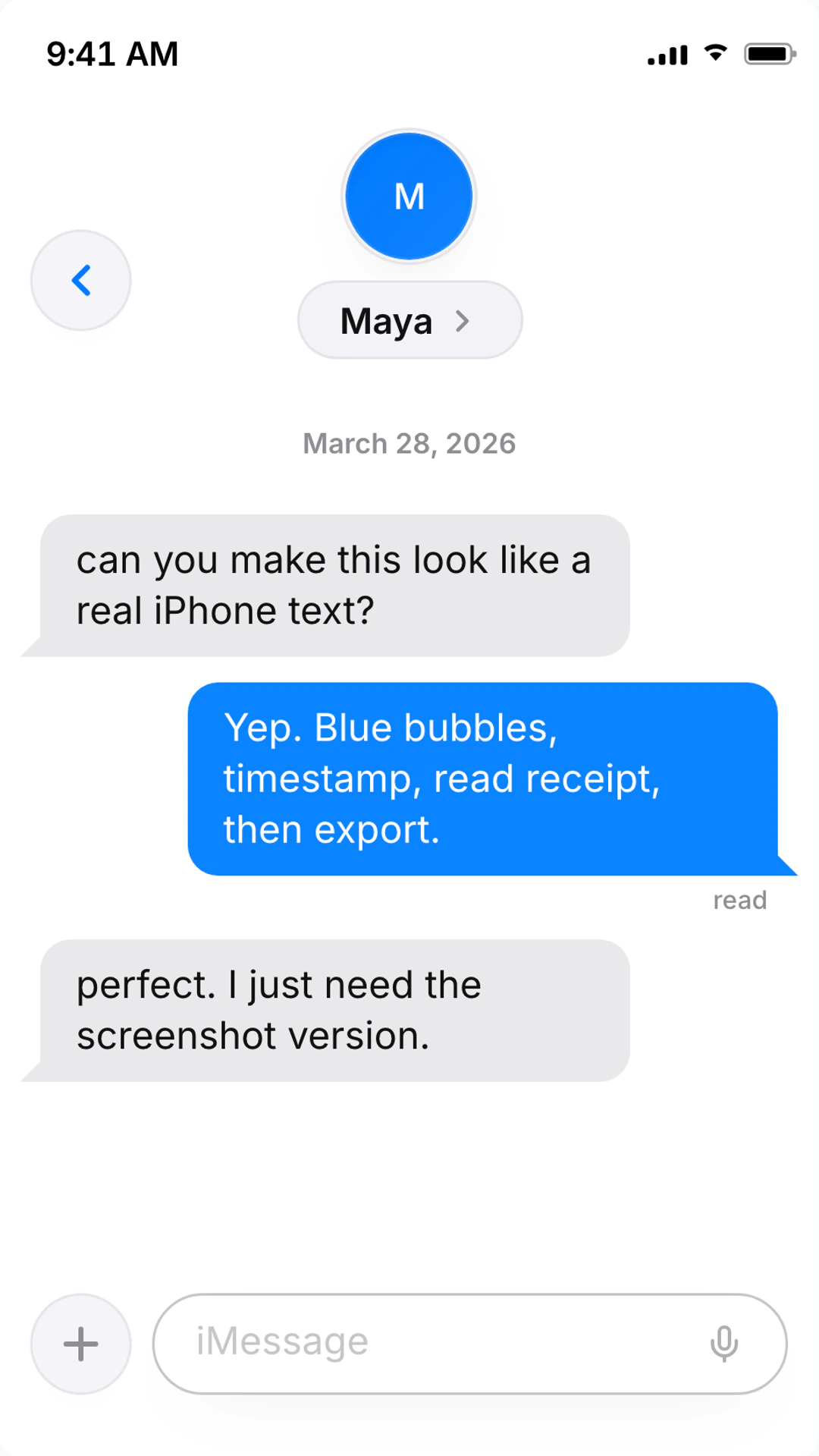
Start with the right fake chat style
Broad keywords bring people here, but the best screenshot comes from choosing a specific app surface before export.
iMessage Generator style
iPhone blue bubbles
Use iMessage when the scene needs a personal iPhone text-message look with Tapbacks, read receipts, and clean blue bubbles.
WhatsApp Chat Generator style
WhatsApp chats
Use WhatsApp for global personal chats, group approvals, voice-note scenes, and familiar green message bubbles.
Instagram DM Generator style
Instagram DMs
Use Instagram DMs for creator outreach, story replies, social proof, influencer scenes, and dark-mode screenshots.
TikTok DM Generator style
TikTok DMs
Use TikTok DMs when the screenshot supports short-form creator content, reply hooks, or social-first storytelling.
Free export details
Clear promises for searchers comparing fake chat makers, screenshot tools, and online generators.
Free output
PNG
Still chat screenshots export free from the browser, with no signup required for the basic screenshot workflow.
Watermark
None on stills
Free PNG screenshots export without a watermark, which makes them useful for mockups, posts, thumbnails, and drafts.
Best device
Mobile-first
Search Console traffic is mostly mobile, so the page and editor prioritize phone-readable chat scenes.
A free fake chat maker that still looks sharp
Use the broad page to start fast, then switch into the exact app style that fits the story.
- Free PNG screenshot export with no signup
- No watermark on still chat screenshots
- Browser-based editor with no app install
- iMessage, WhatsApp, Instagram DM, TikTok DM, Messenger, Telegram, Discord, Snapchat, and more
- Editable names, avatars, timestamps, read receipts, reactions, and message order
- Direct chats, group chats, screenshots, short videos, and animated chat scenes
- Mobile-first previews for creators building TikToks, Reels, Shorts, and thumbnails
- Fast handoff from broad fake chat idea to platform-specific editor
Start free, no install
Open the editor in your browser and export a PNG screenshot without signup or setup.
Switch platform styles
Test the same script as iMessage, WhatsApp, Instagram DM, TikTok DM, Messenger, or another recognizable layout.
Keep it believable
Tune timestamps, read states, reactions, names, avatars, and message length so the fake chat reads like a real phone screen.
How to create a fake chat screenshot for free
Keep the workflow short: choose the style, write the exchange, add the details viewers notice, then export.
- 1
Pick a platform
Start with iMessage, WhatsApp, Instagram DM, TikTok DM, Messenger, or another style your audience already recognizes.
- 2
Write the chat
Keep the conversation short and specific. Real fake chat screenshots work best when one line carries the hook.
- 3
Tune the details
Edit names, avatars, timestamps, reactions, read receipts, group participants, and sender order.
- 4
Preview on mobile
Check whether the screenshot still reads on a phone-sized viewport before you export.
- 5
Export cleanly
Download a free PNG screenshot, or choose a video export when message timing and reveal pacing matter.
Best uses for a free fake chat generator
The strongest outputs are short, readable, and built around one clear beat.
Quick fake chat screenshots
Build a believable chat screenshot for a post, deck, thumbnail, meme, or story insert without installing anything.
Creator text stories
Draft short fake chat scenes for TikTok, Reels, Shorts, and YouTube edits where the message reveal carries the hook.
Proof-style mockups
Create fictional customer texts, launch approvals, DMs, or support conversations for landing pages and product examples.
Platform comparisons
Try the same conversation as iMessage, WhatsApp, Instagram DM, Messenger, or TikTok DM before choosing the strongest visual.
Which fake chat keywords this page should own
This page is for broad search intent: people typing fake chat, fake chat maker, fake chat generator, fake chat screenshot, fake chat online, and free fake chat. They have not always chosen WhatsApp, iMessage, or Instagram yet, so the page should help them pick the right surface quickly.
Do not cram every platform keyword into one page. A WhatsApp query deserves the WhatsApp generator, an iMessage query deserves the iMessage generator, and a TikTok DM query deserves the TikTok DM page. This page should act as the fast front door for users who only know they need a fake chat or screenshot.
The copy should promise exactly what the product can do: free PNG screenshots in the browser, no watermark on still exports, and platform-specific editing once the user chooses a style. That is more useful than repeating "free fake chat generator" in every heading.
Before publishing this page
- Keep the title focused on free fake chat generator and screenshot maker intent.
- Link users into dedicated iMessage, WhatsApp, Instagram DM, and TikTok DM pages instead of stealing those queries.
- Say "free PNG screenshots" and "no signup" where it helps decision-making.
- Show a real chat preview above the fold so the page does not feel like a generic SEO doorway.
Free fake chat generator FAQ
What is free, what exports cleanly, and when to use a dedicated platform page.
Is TheFake a free fake chat generator?
Yes. You can create fake chat screenshots in your browser and export PNG images for free with no signup. Video and advanced animation exports are available when you need motion.
Can I make a fake chat screenshot with no watermark?
Yes. Free still screenshots export without a watermark. Keep the scene fictional, avoid impersonating real people, and use the output for mockups, storytelling, or examples.
Which fake chat styles can I create?
The editor supports iMessage, WhatsApp, Instagram DM, TikTok DM, Messenger, Telegram, Discord, Snapchat, Slack, Teams, and more. Start broad here, then open the platform page that matches the scene.
Do I need to install an app to create fake chats online?
No. TheFake runs in your browser. Pick a platform style, edit messages, names, timestamps, reactions, and receipts, then export the screenshot or video.
What is the best fake chat maker for creators?
The best fake chat maker is the one that gets you from idea to believable export quickly. TheFake is built for creators who need mobile-readable screenshots, platform-specific details, and fast edits.
Should I use the free fake chat generator or a platform-specific page?
Use this page when you are choosing a format. Use the dedicated iMessage, WhatsApp, Instagram DM, or TikTok DM page when you already know which app style the viewer should recognize.
Fast export workflow
Start with a free chat screenshot
Type the first exchange, pick a platform, then export a clean screenshot in minutes.
- Free PNG screenshots
- No watermark on stills
- Runs in your browser
More fake chat pages
Chat Screenshot Generator
Create realistic chat screenshots for WhatsApp, iMessage, Instagram DMs, and more.
Fake Group Chat Text Maker
Create fake group chat text messages for WhatsApp, iMessage, Messenger, and Telegram.
Fake Voice Message Generator
Create realistic voice message bubbles for WhatsApp, iMessage, and Telegram chats.
Create Lock Screen Message Previews
Build realistic lock screen notification previews with custom sender details, background, and message snippets.