

1
Creator feedback threads
Stage post-launch reactions, teaser replies, and creator-community feedback in a familiar Instagram tone.
Create fake Instagram comment sections with custom profiles, threaded replies, likes, badges, timestamps, and light or dark mode. Export a believable comments screenshot or video.
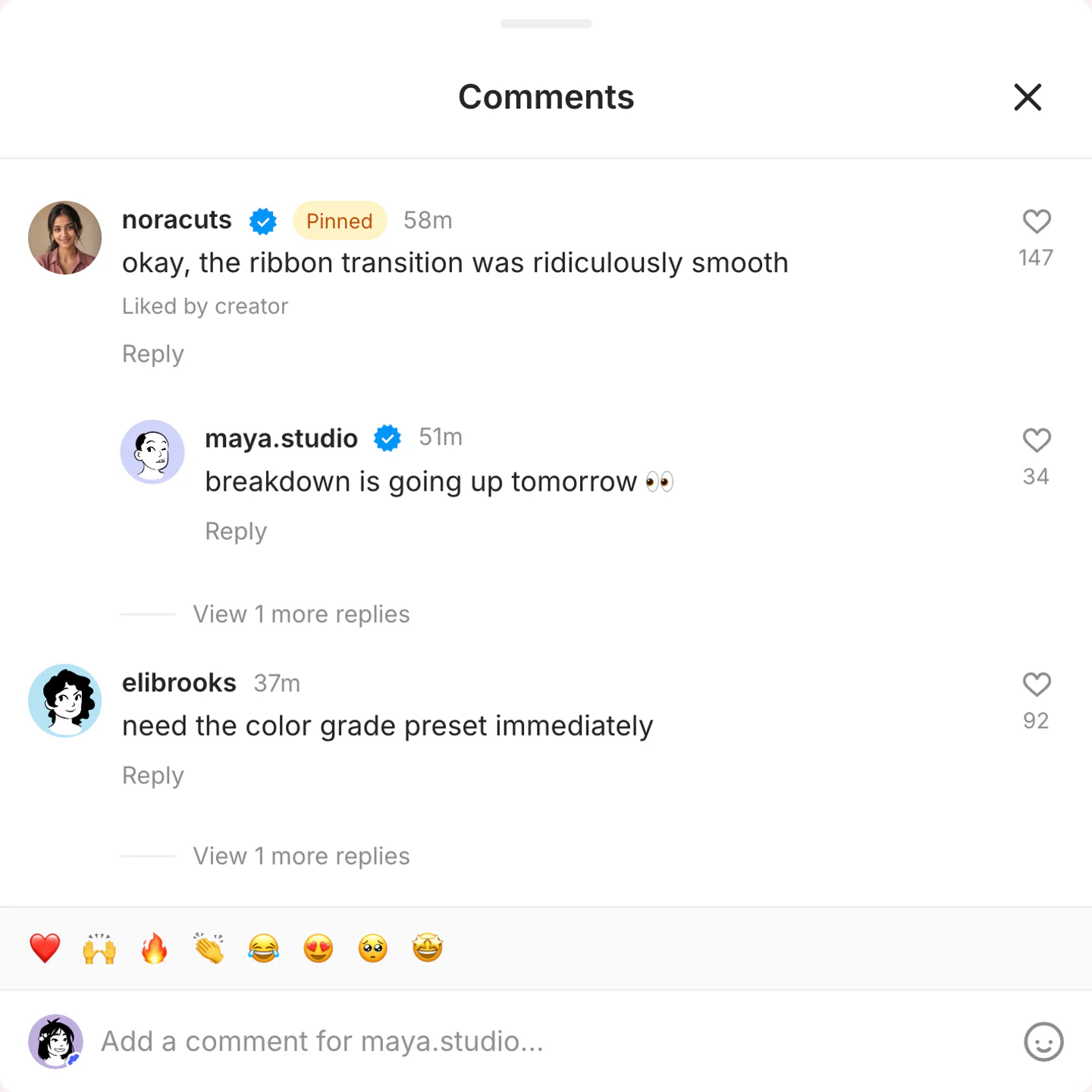
Real Instagram comments export
Three comment screenshots: a pinned packing-list joke, a dark-mode color-grade thread, and a creator-liked reply. Full threads, not sticker overlays.

ninapatel pins a note about the missing hotel. maya.studio replies underneath. The likes stay short of celebrity scale.
Use this example
One creator-liked line about the LUT. The rest of the thread stays mixed and short.
Use this example
No pin. The creator heart sits on one joke, then the thread goes back to ordinary replies.
Use this examplePick the right format
Use Instagram comments when the public reaction is the hook. This page exports a full comment section with replies and pins, not a transparent sticker.
Stage post-launch reactions, teaser replies, and creator-community feedback in a familiar Instagram tone.
Show one or two highlighted comments that reinforce hype, trust, or a product benefit.
Build comment sections around launches, drops, and audience prompts without relying on generic placeholder text.
Workflow
Step 1
Open Instagram comments mode with a pinned top comment, a creator reply, and nested likes already in the thread.
Step 2
Edit usernames, comment text, reply nesting, pins, and creator-liked labels. Keep most lines short enough to scan on a phone.
Step 3
Export a PNG of the comment section. Use video when the thread should appear line by line in a short-form cut.
Features
Set the interface cues that make an Instagram comment thread recognizable, then export it for close-up edits.
Build the thread with avatars, nested replies, pins, and creator-liked labels. This is not a sticker overlay.
Pin or creator-like the comment that carries the joke or social proof. Leave the rest looking ordinary.
The comments need a reason to exist. Use the Instagram post generator for the feed card that sits above the thread.
These are the details viewers notice first when an Instagram screen appears on camera.
Also included
Instagram comments should sound like quick reactions, not marketing copy. Vary the phrasing, use emojis selectively, and pin or like only the comments that matter to the scene.
Common mistakes
Most weak mockups fail on context, not polish. Fix these before you export.
A single comment overlay is a different job. This editor is for the full comments screenshot with replies, pins, and likes.
Real Instagram comments are short and mixed. One pinned compliment is enough. The rest should sound like people reacting to the post.
Pin or creator-like only the one or two lines that the scene actually highlights.
Scene workshop
This page exports the full comments screenshot with nested replies, pins, and creator likes. A single overlay bubble is a different format.
1
Even when the final image shows only comments, write replies that refer to a specific photo or caption so the first line makes sense.
2
Pin or creator-like a single line, such as “okay, the ribbon transition was ridiculously smooth.” Leave the rest looking ordinary.
3
Export the thread as a PNG here. If you need one comment sitting on top of a video, use the TikTok reply generator instead.
FAQ
Quick answers about workflow, realism, and export decisions.
Connect the comment thread to the Instagram post, Story, or private DM that gives the reaction its context.
Instagram tool
Move from public comment reactions to a private Instagram DM with verified badges, seen status, reactions, group threads, and dark mode.
Create a DMInstagram tool
Build the post that gives the comment thread its visual context, including profile details, caption, media, likes, and location.
Create a postInstagram tool
Switch to a full-screen 9:16 Instagram Story when mentions, polls, questions, music, or Close Friends cues carry the scene.
Create a StoryRelated generator
Create fake TikTok comments with custom usernames, likes, creator badges, timestamps, and reply chains.
Open generatorRelated generator
Create fake YouTube comments and comment threads with channel names, @handles, likes, replies, pinned comments, and creator hearts for screenshots, shorts, and video concepts.
Open generatorRelated generator
Create fake Facebook comment threads with replies, reactions, and timestamps.
Open generatorOpen the comments editor, edit the replies, and export the finished thread.