
1
Influencer launch previews
Mock branded feed posts, giveaway announcements, and creator-style launches before they go live.
Create Instagram posts with custom handles, captions, locations, badges, likes, and comments. Export square or portrait mockups.
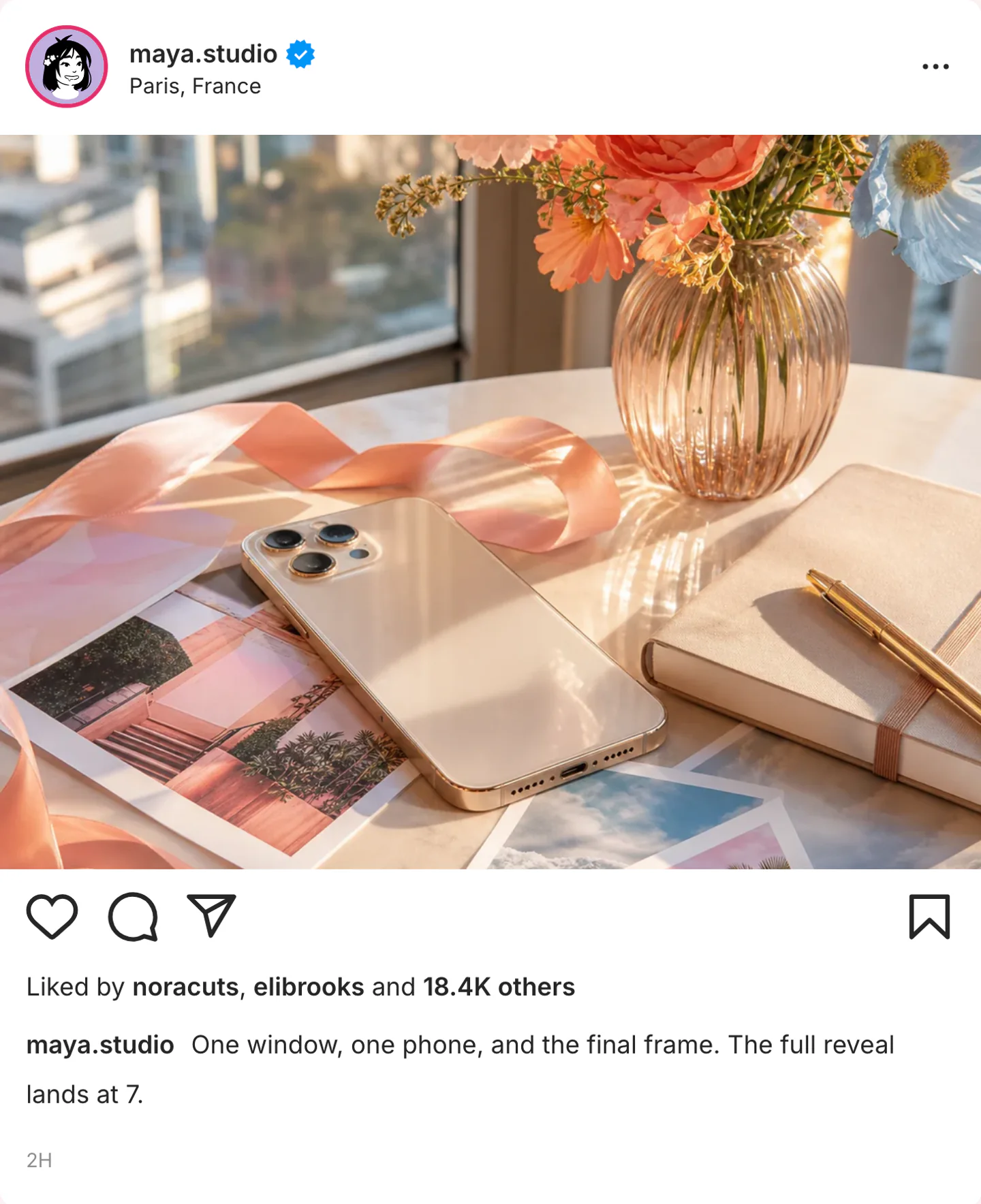
Real Instagram post export
Three feed screenshots: a Lisbon still, a dark-mode recut, and a paid partnership carousel. Open one, then swap the details for your scene.

maya.studio posts a dinner still from Lisbon. The caption, location tag, and like line all describe the same mid-size creator account.
Use this example
Lights off, desk still, smaller likes. Dark mode is for the late recut, not a second Lisbon dinner.
Use this example
Two frames, a partner name, and a like line that still looks like a working studio, not a celebrity blast.
Use this examplePick the right format
Use an Instagram post when the feed card is the scene: handle, photo, caption, location, and likes in one frame. Keep the caption readable at phone size.
Mock branded feed posts, giveaway announcements, and creator-style launches before they go live.
Show how a post might look in-feed when you need a fast proof-of-concept for campaigns and landing pages.
Test caption tone, location tags, and cover-image framing in a familiar Instagram layout.
Workflow
Step 1
Open Instagram post mode with the profile, photo, caption, location tag, and like line already in place.
Step 2
Replace the handle, photo, caption, and location. Set likes and comments to the size of the imagined account, then check the crop at phone width.
Step 3
Download a PNG of the feed card. Use video only when the caption, like count, or photo should reveal in sequence.
Features
Set the interface cues that make an Instagram post recognizable, then export it for close-up edits.
Start with the profile, photo, caption, location tag, and like line in one Instagram feed screenshot.
Match the handle, badge, liked-by line, and comment count to one imagined creator, brand, or personal account.
Write the caption here. Open the Instagram comments generator when the replies themselves are the scene.
These are the details viewers notice first when an Instagram screen appears on camera.
Also included
A convincing Instagram post starts with one clear account type: creator, brand, or personal profile. Match the caption voice, profile details, and engagement numbers to that account.
Common mistakes
Most weak mockups fail on context, not polish. Fix these before you export.
Instagram captions are short, uneven, and tied to the photo. A polished campaign paragraph makes the post look staged.
Match likes, comments, and the liked-by line to one imagined account size. 18.4K likes on a brand-new handle breaks the scene.
Feed posts need square or portrait framing. A 9:16 crop belongs on the Instagram Story generator.
Scene workshop
A feed post is the public card: handle, photo, caption, location, and likes. Keep Stories, comments, and DMs on their own pages so the screenshot has one job.
1
Use a fictional creator, brand, or personal profile. Match the caption length, location tag, and like line to that one identity before writing promo copy.
2
Start with a caption such as “One window, one phone, and the final frame.” Keep likes in the range of the imagined account instead of a celebrity default.
3
The feed post establishes the still. If the joke is a pinned reply, export a separate Instagram comments screenshot alongside it.
FAQ
Quick answers about workflow, realism, and export decisions.
Build the feed post first, then open comments, Stories, or DMs when the scene needs a different Instagram surface.
Instagram tool
Open the comment thread that sits under the post: pinned replies, creator likes, and nested reactions.
Create commentsInstagram tool
Switch to a 9:16 Story when mentions, polls, questions, or Close Friends cues carry the scene instead of the feed.
Create a StoryInstagram tool
Move a public post idea into a private Instagram DM with verified badges, seen status, and dark mode.
Create a DMRelated generator
Create X post mockups, reply chain screenshots, profile-style previews, verified badges, and engagement metrics for social concepts, decks, and editorial visuals.
Open generatorRelated generator
Generate realistic fake Facebook posts with our free online tool.
Open generatorRelated generator
Create Threads post mockups with custom handles, badges, and realistic interaction metrics.
Open generatorOpen the post editor, edit the visible details, and export the finished mockup.