Free Fake Lock Screen Message Generator
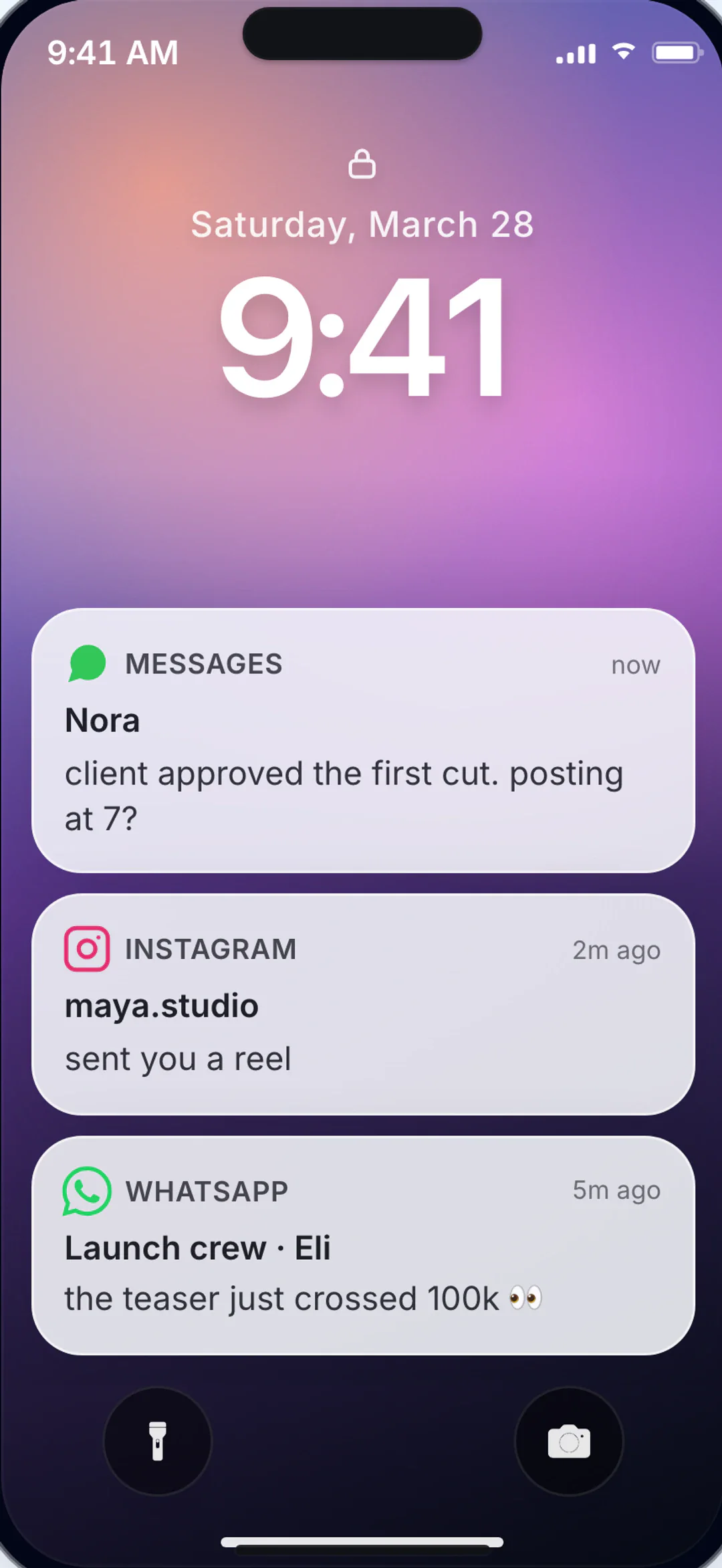
Show the exact notification beat before a chat starts. Craft believable lock-screen previews with the right sender, tone, and visual context for your story.
Notification Scene Controls
Shape sender context, preview wording, and device details that make lock-screen moments believable.
- Lock-screen style notifications with configurable wallpaper
- Editable sender identity and preview text wording
- Status bar and device context controls for realism
- Quick PNG exports for thumbnails and storyboard frames
- video-ready workflow when pairing with animated chat scenes
- Built for short-form storytelling and concept validation
Why these controls matter
Notification-First Story Hooks
Build previews that establish conflict or curiosity before the first full chat frame appears.
Consistent Mobile UI
Align the wallpaper, status elements, and sender details so the preview looks like one coherent phone screen.
Fast Iteration for Creators
Duplicate the scene to compare different wording, senders, or reveal angles.
Where It Fits In Production
Use lock-screen previews as hooks, transitions, and context-setting beats.
Narrative Hooks
Open with a notification preview to create instant context and tension.
Campaign Concepts
Prototype notification-led ad hooks before full production.
Short-Form Reveals
Use lock-screen moments as transitions for Reels, Shorts, and TikTok.
UX Storyboards
Visualize mobile notification flows in product demos and presentations.
Using Lock Screen Previews as Story Hooks
Lock screen previews work when they reveal only the necessary context. Use a short sender label and one clear message without showing the rest of the conversation.
Read the full playbook
When building campaign concepts, test several notification wordings with the same visual layout. This isolates the copy variable and helps you identify which hook drives better retention in the first few seconds.
For product demos, pair the notification frame with a follow-up chat or in-app screen so viewers can track the narrative progression from alert to action.
Notification preview checklist
- Use sender names and phrasing that match the character voice.
- Keep preview text short enough to look native on lock screens.
- Align wallpaper style with the broader visual identity of the scene.
- Sequence the preview before the first full chat frame for clarity.
Notification Styles Available
FAQ
Lock Screen Preview FAQ
Guidance on realism, export formats, and combining previews with chat scenes.
Can I use a custom lock-screen background?
Can I adapt the preview for different scripts?
Is this only for static mockups?
Screenshot and video export
Create Your Lock Screen Hook
Set the sender, edit the preview text, check the crop, and export.
Related Notification Pages
Fake Group Chat Maker
Create fake group chats for WhatsApp, iMessage, Messenger, and Telegram.
Fake Voice Message Generator
Create realistic voice message bubbles for WhatsApp, iMessage, and Telegram chats.
Fake Notification Screenshot Generator
Create realistic phone notification screenshots with lock screen alerts, banner notifications, and notification stacks.
Chat Screenshot Generator
Create realistic chat screenshots for WhatsApp, iMessage, Instagram DMs, and more.