Create a fictional character profile
Give a character an identity, bio, banner, and timeline for a storyboard or social scene.
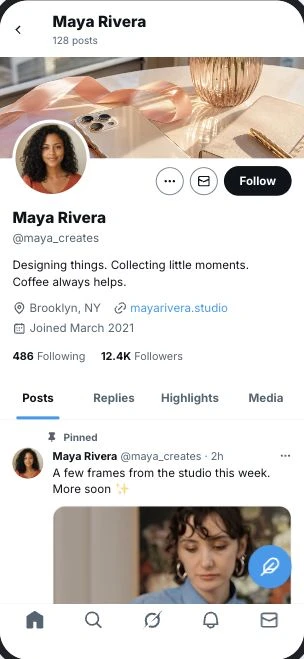
Build an X profile for your next scene. Customize the banner, bio, account details, and timeline posts, then preview the complete profile.
Your scene, your details
Start with the familiar X Profile layout and edit the details that make your concept work.
Made for your next idea
Give a character an identity, bio, banner, and timeline for a storyboard or social scene.
Explore a banner, profile copy, and pinned post together before presenting your concept.
Add posts with media, timestamps, and engagement counts to illustrate an account history.
Three steps
Start with the X Profile layout using the button above.
Edit names, upload images, and adjust the content and layout.
Check your scene at phone size, then download a PNG. Pro adds video export.
Begin with the name, handle, avatar, and banner. Write a short bio and add location, website, join date, and account counts as needed. Choose the viewer relationship and account state that fit your scene.
Add timeline posts and pin the entry you want viewers to notice first. Check the selected profile tab, post media, and engagement counts before exporting your screenshot.
FAQ
What you can customize and export.
Start with the sample layout and make it yours.
Create X profile