
1
Professional feedback threads
Build comment sections around launches, case studies, and thought-leadership posts that feel professional and credible.
Build LinkedIn comment threads with professional replies, reaction counts, context, and timestamps for decks, demos, or campaigns.
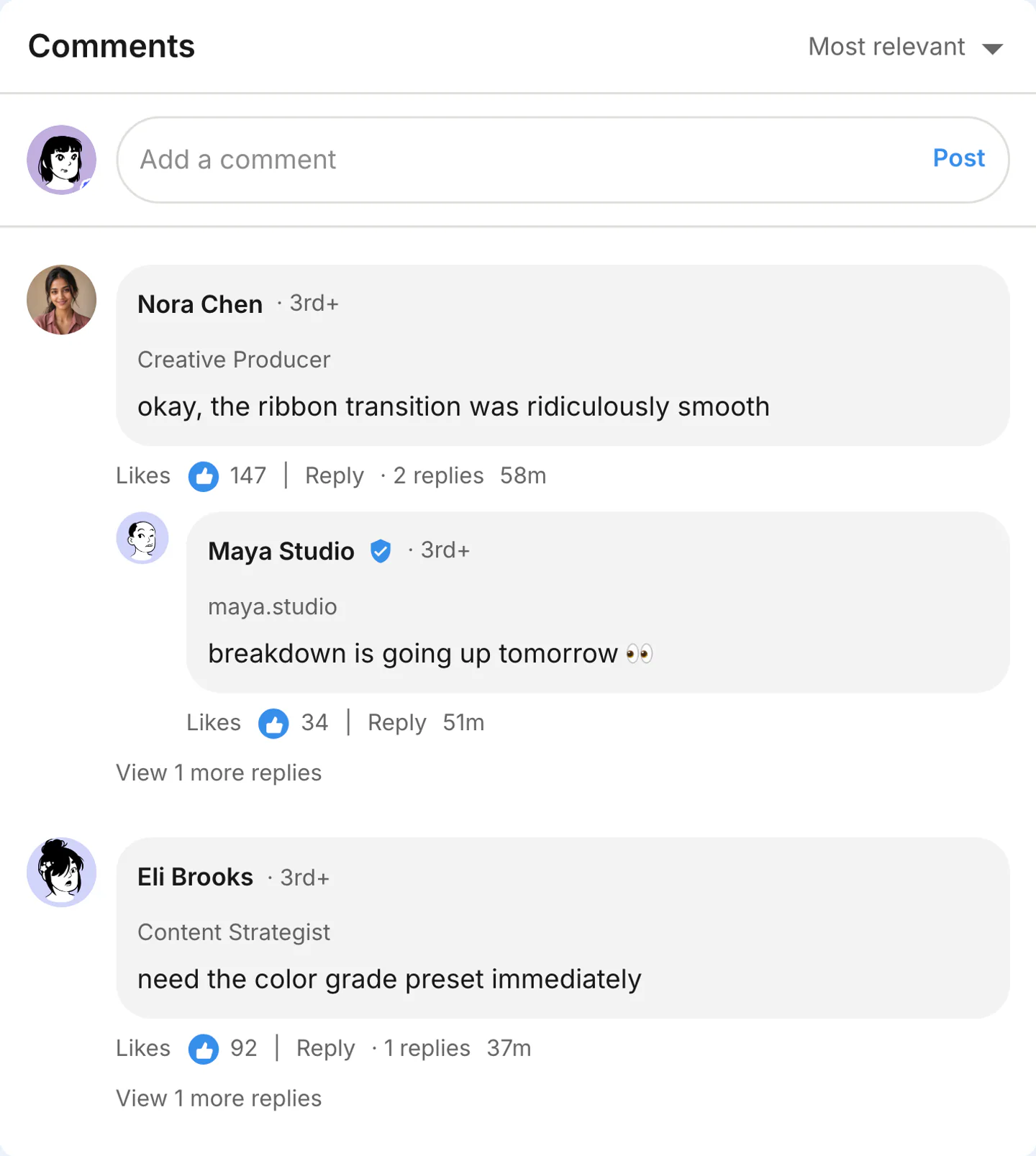
Real LinkedIn comments export
Three work threads: two role-labeled replies, a three-voice follow-up, and a dark-mode note. Use LinkedIn chat when the follow-up should stay private.

Name a role on each commenter. Keep the replies specific to the project instead of generic congratulations.
Use this example
Producer, strategist, editor. Each line names a specific job on the stills, not a generic congrats.
Use this example
Same role labels, darker chrome. Use it when the feed insert needs to read as evening LinkedIn.
Use this examplePick the right format
Use LinkedIn comments when the audience reaction matters. Replies, pinned notes, likes, and nested context show how people respond to the post.
Build comment sections around launches, case studies, and thought-leadership posts that feel professional and credible.
Show peer reactions, endorsements, and nuanced feedback in a LinkedIn-native thread format.
Use LinkedIn-style comment threads in onboarding, sales training, and business communication examples.
Workflow
Step 1
Select LinkedIn from 45+ supported apps and choose comments mode.
Step 2
Edit commenter names, replies, likes, timestamps, thread depth, pinned states, and appearance options.
Step 3
Download a comments screenshot or short reveal clip when the thread reaction is the hook.
Features
Set the interface cues that make a LinkedIn comment thread recognizable, then export it for close-up edits.
Open the LinkedIn comments editor with the top comment, replies, timestamps, and reaction areas already in place.
Shape top comments, replies, pinned labels, creator cues, timestamps, and nested discussion flow.
Set display names, handles, avatars, verification, and tone so every reply fits the scene.
These are the details viewers notice first when a LinkedIn screen appears on camera.
Also included
LinkedIn comment threads feel believable when they stay professional without becoming stiff. The strongest threads mix supportive reactions, informed takes, and a little healthy nuance instead of reading like a wall of generic praise.
Common mistakes
Most weak mockups fail on context, not polish. Fix these before you export.
Comment threads work best when reactions feel quick, specific, and slightly messy.
Too many reply levels slow the scan. Keep the strongest reaction visible first.
Use LinkedIn labels, likes, pinned cues, and timestamps only when they clarify the thread.
FAQ
Quick answers about workflow, realism, and export decisions.
Compare comment thread generators when the replies or audience reaction carry the scene.
Same platform
Generate fake LinkedIn posts with reactions and engagement.
Open generatorRelated generator
Create fake TikTok comments with custom usernames, likes, creator badges, timestamps, and reply chains.
Open generatorRelated generator
Create fake YouTube comments and comment threads with channel names, @handles, likes, replies, pinned comments, and creator hearts for screenshots, shorts, and video concepts.
Open generatorRelated generator
Create fake Instagram comments, comment sections, threaded replies, pinned comments, and timestamps.
Open generatorOpen the comments editor, edit the replies, and export the finished thread.