1
Creator announcement posts
Stage relaxed launch notes, updates, and creator commentary in a Threads-native format.
Mock Threads posts with custom handles, Meta verified badges, profile details, and engagement metrics. Export HD visuals.
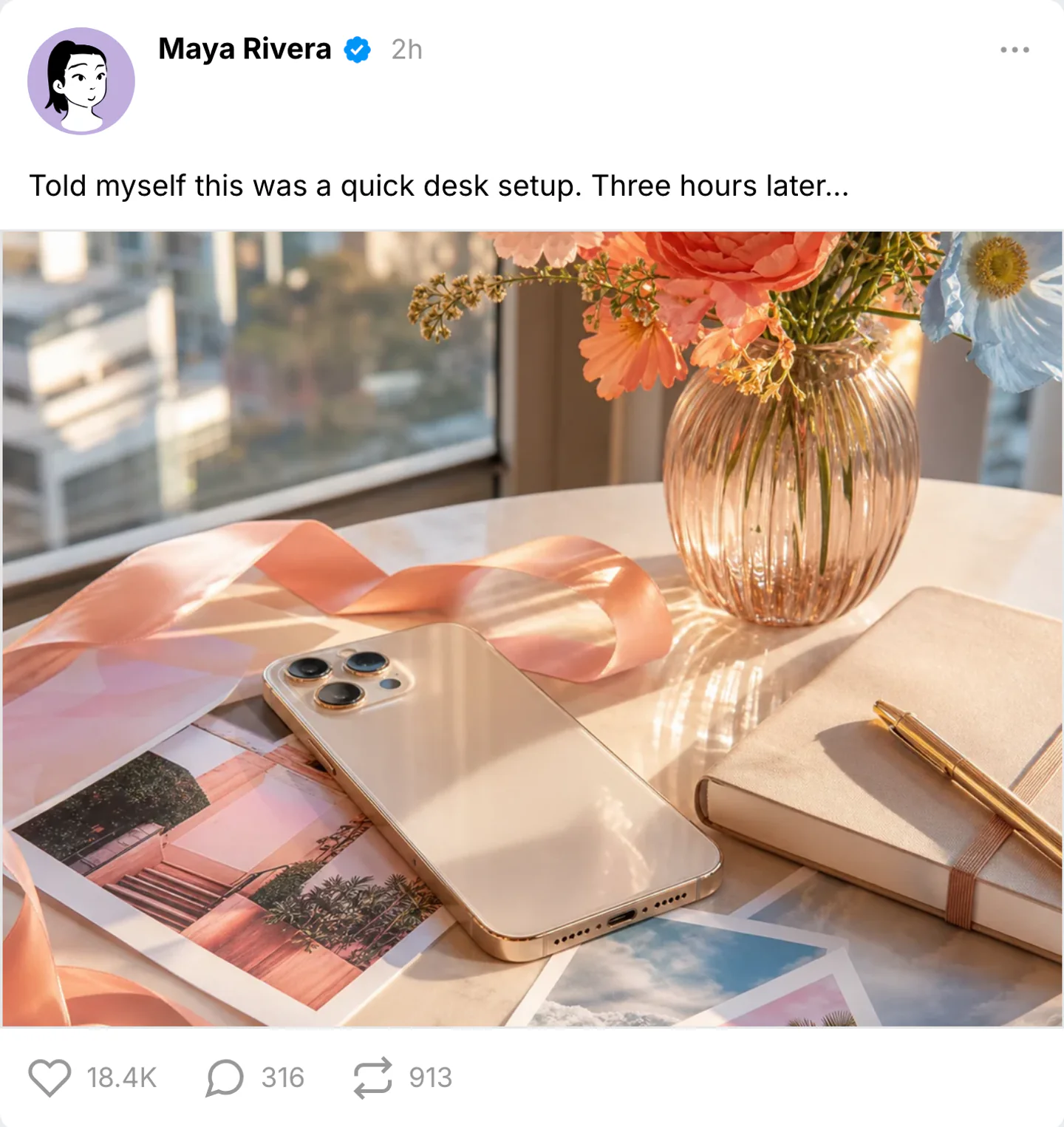
Real Threads post export
Three public posts: a short observation, a dark recut note, and a text-only caption. Keep them separate from a Threads DM.

One idea a stranger could reply to. The caption stays short, and the badge only appears if that identity is part of the scene.
Use this example
Shorter caption, quieter likes. Dark mode for a night-scroll insert, not a second desk lecture.
Use this example
If the still is not doing work, drop it. One sentence, small likes, public replies still possible.
Use this examplePick the right format
Use a Threads post mockup for creator announcements, product receipts, launch posts, and public reactions. Keep the main point readable at thumbnail size.
Stage relaxed launch notes, updates, and creator commentary in a Threads-native format.
Show how a brand or founder update might feel in a softer, more conversational feed than X.
Use Threads screenshots in strategy decks, launch previews, and community-focused social scenes.
Workflow
Step 1
Select Threads from 45+ supported apps and choose post mode.
Step 2
Edit author details, captions, media, badges, timestamps, and engagement counts without rebuilding the layout.
Step 3
Download a sharp post screenshot or a short reveal clip for decks, social edits, and approvals.
Features
Set the interface cues that make a Threads post recognizable, then export it for close-up edits.
Open the Threads post editor with the profile, media, caption, and reaction areas already in place.
Edit handles, names, avatars, captions, media, badges, timestamps, and date details in one place.
Tune likes, replies, reposts, views, and bookmarks so the mockup fits the account and scenario.
These are the details viewers notice first when a Threads screen appears on camera.
Also included
Threads posts usually work best when they feel conversational, current, and slightly lighter than X. The layout is minimal, so the writing style and overall account vibe carry more of the realism.
Common mistakes
Most weak mockups fail on context, not polish. Fix these before you export.
Real posts have small imperfections: human captions, realistic spacing, and engagement counts that fit the account size.
Perfect numbers make screenshots feel staged. Use uneven likes, comments, shares, and timestamps.
Match the caption, profile details, and spacing to Threads before adding the campaign message.
Scene workshop
A Threads feed post sets up a public conversation. Keep it separate from the private DM format and give the post one idea that another person could naturally respond to.
1
For a fictional designer, try “The first draft took three hours. The version we kept took ten minutes.” Use a consistent name, handle, and profile image.
2
Adjust the caption, timestamp, and supported engagement counts together. Only use a badge when that identity is part of the fictional scene; it should not be the main visual hook.
3
A public reply belongs in Threads comments. A collaborator asking privately about the draft belongs in Threads DMs; the screenshot gallery provides examples of that quieter exchange.
FAQ
Quick answers about workflow, realism, and export decisions.
Compare social post mockup pages when you need the same idea in a different feed.
Same platform
Compose fake Threads comment conversations with nested replies, likes, and timestamps that mirror real discussion flow.
Open generatorRelated generator
Create fake Instagram posts with custom profiles, captions, photos, verified badges, likes, and comments.
Open generatorRelated generator
Create X post mockups, reply chain screenshots, profile-style previews, verified badges, and engagement metrics for social concepts, decks, and editorial visuals.
Open generatorRelated generator
Generate realistic fake Facebook posts with our free online tool.
Open generatorOpen the post editor, edit the visible details, and export the finished mockup.