Free Fake Tweet Maker
Create a fake tweet in the current X layout. Edit the profile, post, badges, and metrics for memes, skits, launch concepts, or mockups.

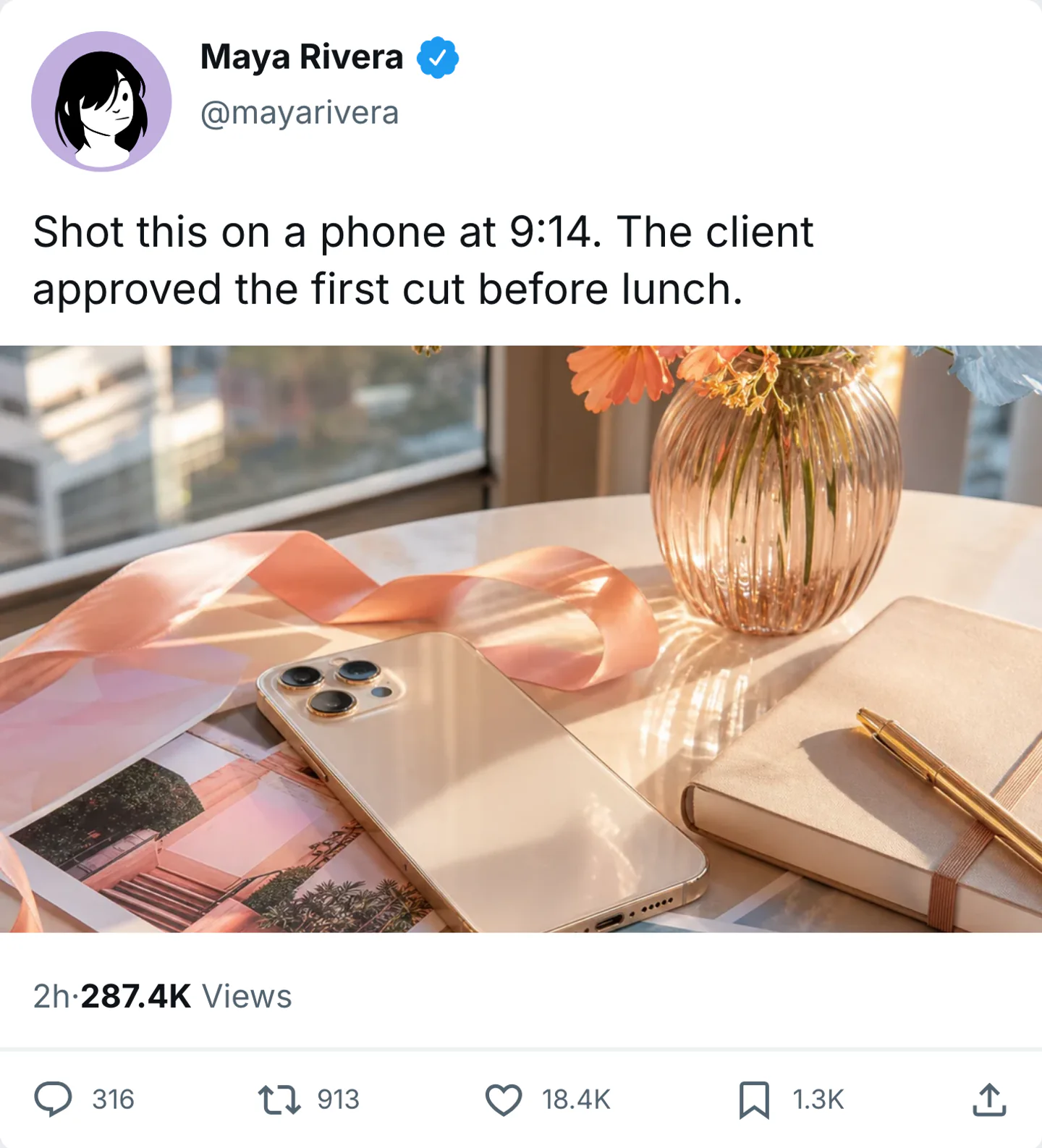
Control the detail that identifies the scene
Adjust the interface cues that make post mockups easy to recognize.
- X (Twitter) post layout and typography
- Customize display name, handle, and avatar
- Blue, gold, and grey verification badges
- Editable timestamps, dates, and post text
- Adjust likes, reposts, replies, views, and bookmarks
- Light and dark mode exports
- High-res PNG downloads for clean mockups
Why these controls matter
Edit interface details
Control the interface cues viewers notice when the scene fills the frame.
Reuse the same idea
Move one script across several app styles without rewriting the scene.
Export when it reads right
Download a still or video that can go straight into the next edit.
Where the feature helps
Use it when that small interface detail carries part of the story.
Memes & Skits
Create funny fake tweets for comedy content and social posts
Product Mockups
Showcase brand announcements and social proof concepts
Storytelling
Add believable tweet screenshots to videos and threads
Design & UX
Prototype social UI flows and content layouts quickly
Tweet mockups that look right on X
A good fake tweet is usually simpler than people expect. One strong post, believable engagement numbers, and a handle-display-name pairing that feels coherent will do more for realism than stuffing the screen with extra UI details.
Read the full playbook
Use the X layout when the platform itself adds context to the joke, launch, or story beat. The post should look plausible beside the real accounts and topics in that imagined timeline.
Metrics and verification badges matter most when they match the account. Oversized view counts or too many premium cues can make the post feel synthetic, so it is usually better to undersell the numbers than push them too far.
Tweet realism checklist
- Keep the name, handle, avatar style, and verification level consistent with the account persona.
- Use engagement counts that fit the tone and reach of the post instead of defaulting to huge numbers.
- Export light and dark versions when you want the tweet to slot naturally into different decks or edits.
Works with these platforms
FAQ
Feature questions
How to set it up, keep it consistent, and export it.
Is this a real tweet generator?
Can I customize likes and reposts?
Do exports include a watermark?
Screenshot and video export
Try it in the editor
Set the detail, check it in context, and export the scene.
More editable details
Fake TikTok Reply Generator
Create fake TikTok reply-to-comment stickers for response videos, story frames, hooks, and social mockups.
Fake FaceTime Call Generator
Create a fake FaceTime call or iPhone incoming-call screen with an editable caller, avatar, wallpaper, and audio or video mode.
Create Grok-Style Screenshots and xAI Chat Mockups
Create fake Grok-style screenshots and xAI chat mockups for social clips, explainers, and product demos.
Create ChatGPT-Style Screenshots and Prompt Mockups
Create fake ChatGPT screenshots and prompt-and-answer mockups for tutorials, demos, and social clips.