Free Fake Notification Screenshot Generator
A single notification can establish the context. Create realistic lock screen alerts, banners, and notification stacks that stay readable at a glance.
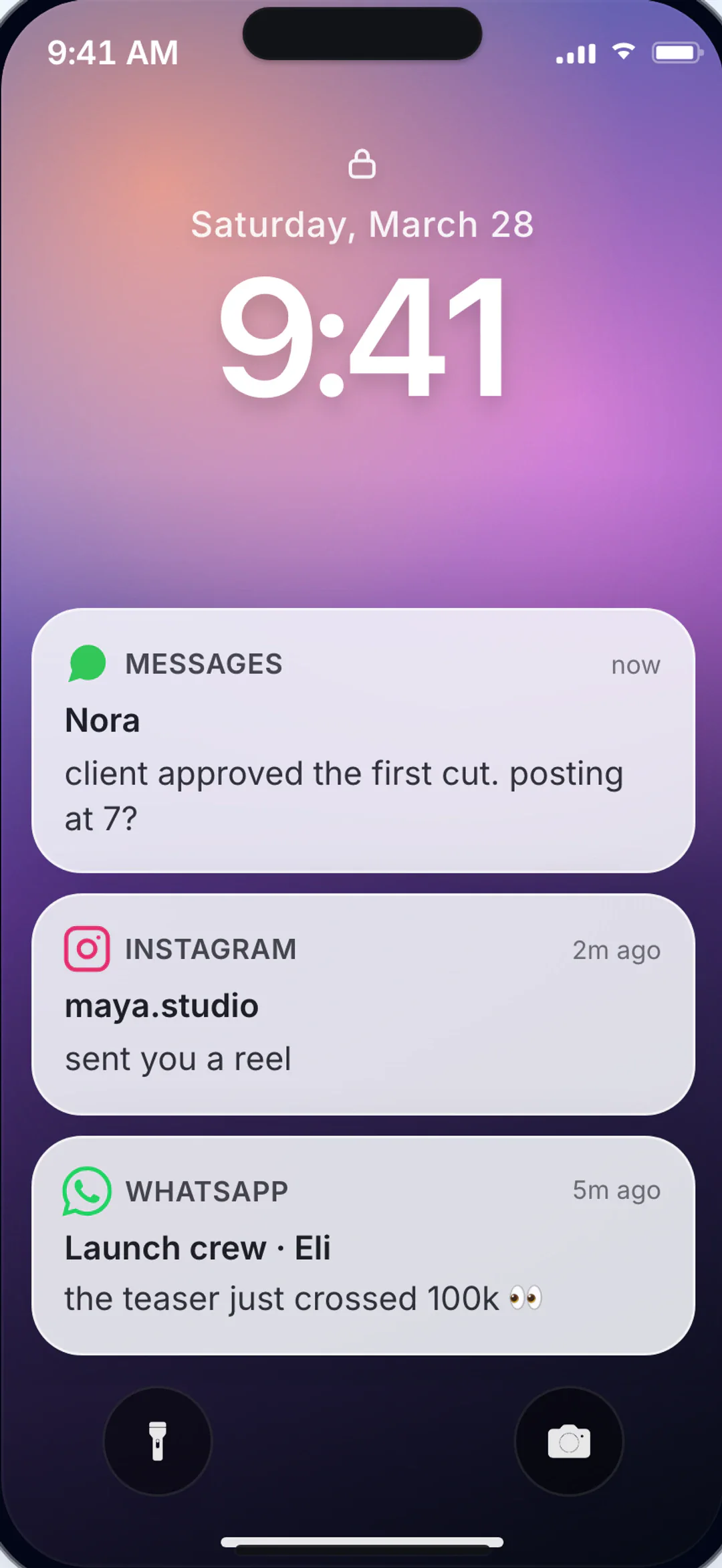
Control the detail that identifies the scene
Adjust the interface cues that make lock screen previews easy to recognize.
- Lock screen notification mockups
- Banner notification screenshots
- Multiple notification stacks
- Platform-specific notification styles
- Customizable sender names and preview text
- Time and date stamp control
Why these controls matter
Edit interface details
Control the interface cues viewers notice when the scene fills the frame.
Reuse the same idea
Move one script across several app styles without rewriting the scene.
Export when it reads right
Download a still or video that can go straight into the next edit.
Where the feature helps
Use it when that small interface detail carries part of the story.
Content Hooks
Start a video or post with a shocking notification to immediately grab attention.
Thumbnail Creation
Use notification screenshots as eye-catching thumbnails for YouTube and social media.
App Mockups
Show how your app's notifications look on real devices for product marketing.
Story Openings
Open a chat story with the notification that sets the scene before diving into the conversation.
Notifications that stop the scroll
A notification screenshot can carry a whole story beat in one line. Pair a clear contact name with a short preview that signals the threat, surprise, heartbreak, or joke.
Read the full playbook
Use notification mockups as the opening frame of chat videos. The lock screen notification sets context before the viewer enters the full conversation.
Use a stack to show volume. Several messages from one person imply urgency; messages from several people suggest that something has spread.
Notification mockup checklist
- Keep the preview text short enough to display without truncation.
- Match the notification style to the device the character would use.
- Use notification stacks to imply urgency or social activity.
- Time stamps should feel realistic for the scenario.
Works with these platforms
FAQ
Feature questions
How to set it up, keep it consistent, and export it.
How many notifications can I stack on one lock screen?
My notification preview gets cut off. How long should the text be?
Should I use a lock screen, banner, or grouped notifications?
Screenshot and video export
Try it in the editor
Set the detail, check it in context, and export the scene.
More editable details
Fake FaceTime Call Generator
Create a fake FaceTime call or iPhone incoming-call screen with an editable caller, avatar, wallpaper, and audio or video mode.
Create Gemini-Style Screenshots and Process Mockups
Create fake Gemini-style screenshots and workflow mockups for explainers and demos.
Create Grok-Style Screenshots and xAI Chat Mockups
Create fake Grok-style screenshots and xAI chat mockups for social clips, explainers, and product demos.
Chat Screenshot Generator
Create realistic chat screenshots with familiar app layouts.