Free Fake Text Message Dark Mode Generator
Build the black-background text message screenshot people expect from modern iPhone conversations. Use dark iMessage styling, blue and gray bubbles, timestamps, read receipts, and a phone-ready export without rebuilding the UI by hand.
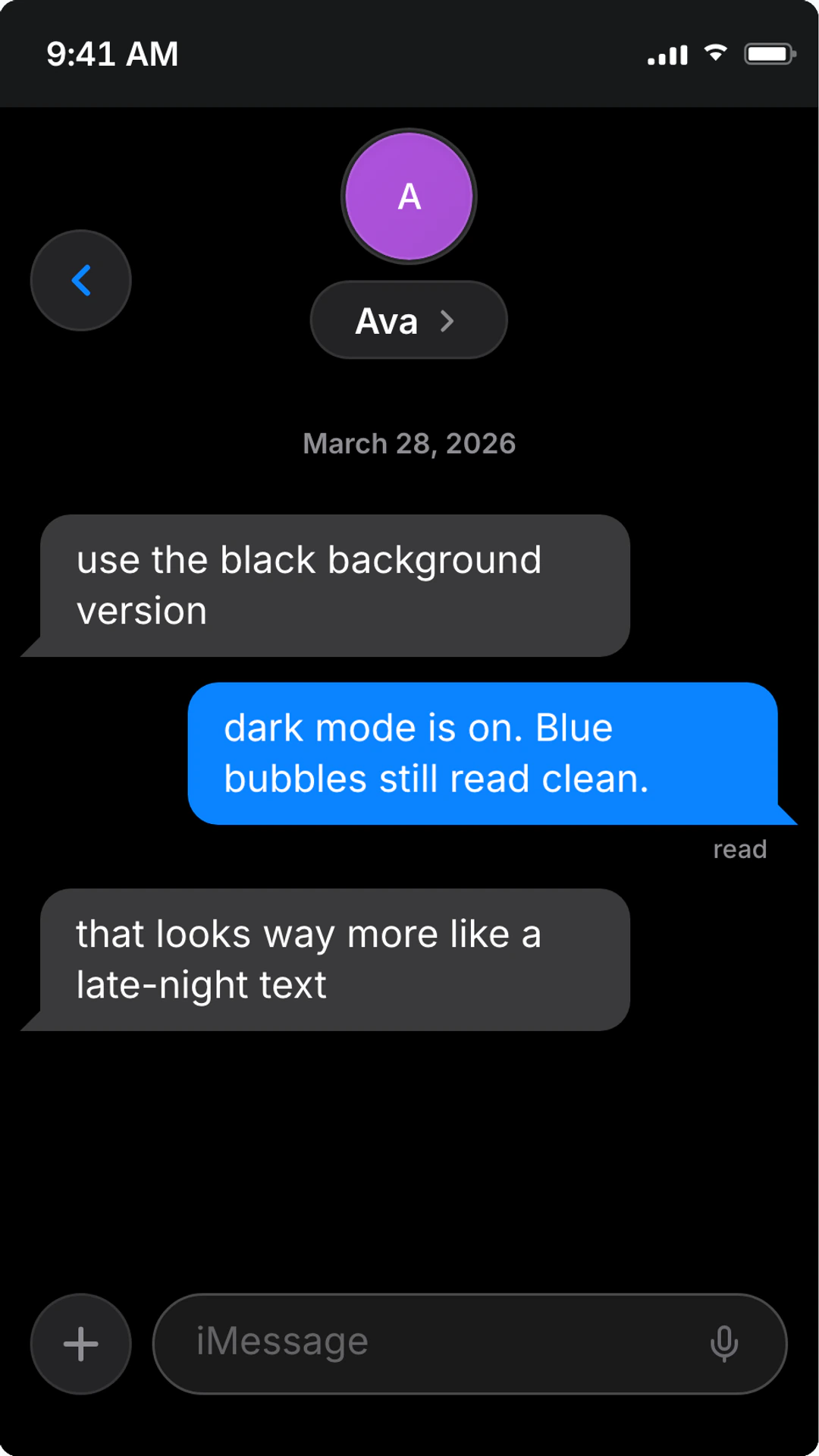
Dark text export details
Concrete export settings, delivery details, and workflow notes to help you understand the output before you create it.
Primary style
iMessage dark mode
Modern iPhone text styling with black background, blue outgoing bubbles, gray incoming bubbles, and native spacing.
Best format
PNG screenshot
Use still screenshots for posts, decks, thumbnails, and proof-style mockups. Use video when reveal timing matters.
Readable details
Timestamps + receipts
Delivered, Read, timestamps, Tapbacks, and typing indicators are designed to remain legible against the dark interface.
Alternate styles
Light mode + SMS
If the scene needs a brighter iPhone message or an older green-bubble SMS look, switch to the related iMessage or classic SMS pages.
Built for black-background text screenshots
Everything that makes a dark iPhone text read correctly: bubbles, timestamps, read states, reactions, and export sizing.
- Black-background iPhone text message styling
- Dark-mode iMessage blue and gray bubbles
- Readable timestamps, Delivered, and Read receipt details
- Tapback reactions and typing dots tuned for dark UI contrast
- Phone-size screenshots for TikTok, Reels, Shorts, decks, and mockups
- One-click switch back to light mode when readability matters
- PNG screenshot export with no signup required
- Video and animation exports for paced message reveals
Black UI from the start
Target the exact search intent behind black-background text messages instead of burying dark mode inside a generic chat page.
iPhone-specific details
Blue bubbles, gray replies, timestamps, read receipts, Tapbacks, and typing dots stay consistent with iMessage expectations.
Export-ready contrast
Dark mode is tuned so screenshots stay readable on phone screens, thumbnails, and vertical video frames.
Where dark mode works best
Use the black-background look when the message needs privacy, nighttime tone, or better fit inside a dark video edit.
Dark Text Story Videos
Use a black iPhone text background for late-night storytime clips, confession reveals, and short-form videos where white UI feels too bright.
iPhone Message Screenshots
Create blue-bubble dark-mode iMessage screenshots for social posts, thumbnails, examples, and creator mockups.
Private Conversation Scenes
Stage messages that need a quieter, phone-at-night feeling without using generic chat bubbles.
Ad and Product Mockups
Place dark iPhone text screenshots into landing pages, decks, and product concepts where black UI fits the surrounding design.
How to make dark-mode fake texts look convincing
Dark-mode text messages work because they feel like a phone screen at night. Use that tone intentionally. A black background is strongest for private, tense, funny, or reveal-driven moments where a bright white interface would pull attention away from the message.
The iPhone details matter more in dark mode because the viewer has fewer colors to read. Blue bubbles, gray replies, small timestamps, and read receipts need to agree with the timeline. If the screenshot is meant to look like iMessage, keep the bubble pattern and spacing consistent.
Do not make the thread longer just because the generator can handle it. One strong exchange with a believable timestamp usually performs better than a long wall of perfect replies. Preview the export at phone size before publishing so the black background does not hide the smallest labels.
Dark-mode text realism checklist
- Use dark mode when the scene actually benefits from a nighttime or private tone.
- Keep the key message visible without scrolling.
- Make outgoing and incoming bubble colors consistent throughout the thread.
- Use read receipts and timestamps only when they support the story timeline.
- Preview the black-background screenshot on mobile before exporting.
Related text message styles
Dark Mode Text Message FAQ
Practical answers about iPhone dark mode, black backgrounds, screenshots, and exports.
How do I make a fake text message with a black background?
Open the editor from this page, use the iMessage layout, choose dark mode, add the contact name and message bubbles, adjust timestamps and read receipts, then export a PNG screenshot. The result uses black-background iPhone text styling instead of a generic dark chat box.
Is this the same as a fake iMessage dark mode generator?
Yes for modern iPhone blue-bubble scenes. This page focuses on dark-mode iMessage and iPhone text screenshots; the broader iMessage generator also covers light mode, Tapbacks, group chats, and animated iMessage videos.
Can I make fake iPhone text messages in both dark and light mode?
Yes. Build the conversation once, preview it in dark mode for a black-background look, and switch to light mode if the final post or deck needs more contrast.
What makes a dark-mode fake text screenshot look real?
Keep message turns short, use blue bubbles only for the sender, keep gray replies readable, and make timestamps and read receipts match the story timeline. Overusing reactions or perfect one-line replies makes the screenshot feel staged.
Can I export dark-mode text messages as video?
Yes. Use PNG for a still fake text screenshot, or use video and animation export when typing dots, message reveals, or story pacing matter.
Fast export workflow
Make a dark-mode text message
Open the editor, write the conversation, choose the dark iPhone look, and export in seconds.
- Black-background iPhone UI
- No signup for screenshots
- Screenshot + video export
Related text message pages
Fake Text Message Generator
Make fake text messages that look real with iPhone text, Android SMS, iMessage, WhatsApp, dark mode, and black-background styles.
Fake Chat Scenes for Film & TV Production
Create realistic on-screen text message scenes for film, TV, and web series.
Fake Typing Indicator Generator
Create realistic typing indicator animations for chat scenes.
Fake Notification Screenshot Generator
Create realistic phone notification screenshots with lock screen alerts, banner notifications, and notification stacks.